Back to Software Engineering projects

Gitpicky
Git, explained by picture
- Role
- Designer and developer
- Tools
- TypeScript, Electron, MCP, Git
- Company
- Personal project
- Year
- 2026
Gitpicky is for people who use git but don’t think in git: artists, designers, writers, students, and developers who learned just enough commands to get by. The name is a nod to nitpicky: pick exactly the change you want, nothing more.
It draws the repository’s history as a tree you can read. Every commit is a dot, each line of work gets its own color, and labels show where branches, tags, GitHub’s copy and “you are here” point. Hover any label for a one line explanation, or search the Learn tab.
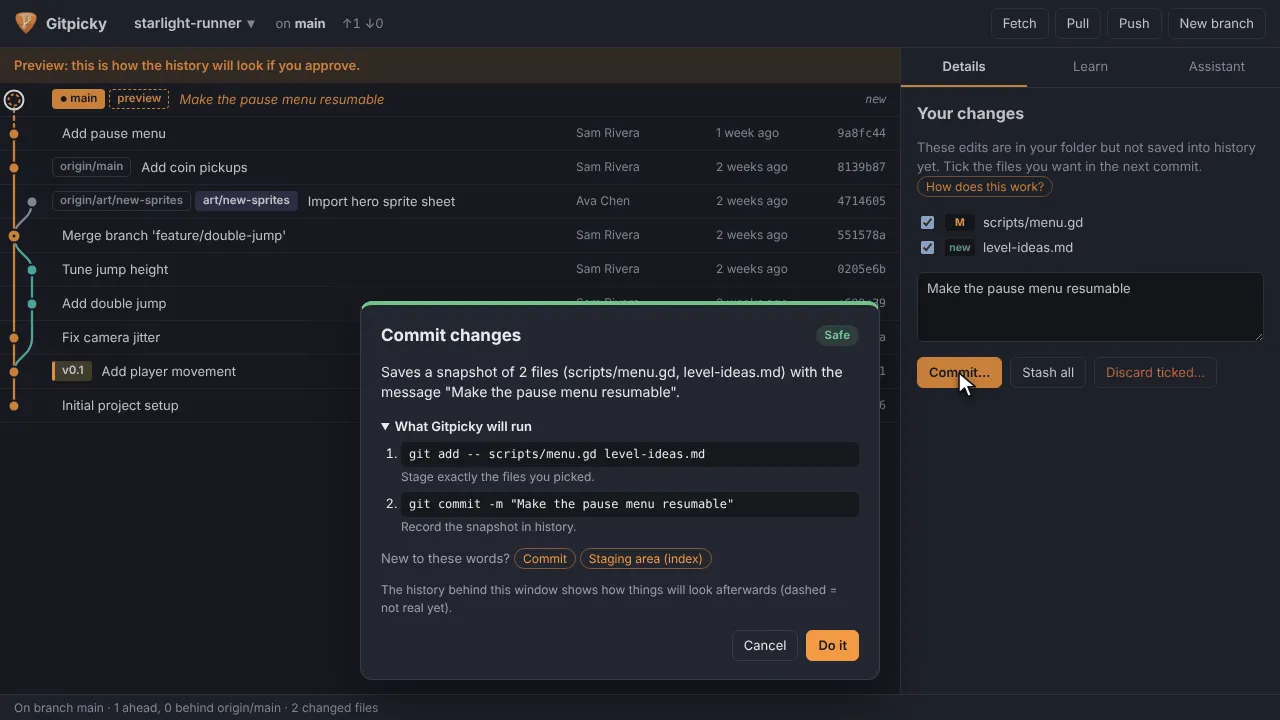
Every action goes through a plan first. Before anything runs you see what will happen in plain words, the exact git commands and why each is needed, a risk level, warnings such as predicted merge conflicts, and the history redrawn as it will look afterwards. Nineteen kinds of change work this way, from a commit to a reset, and it never force pushes.
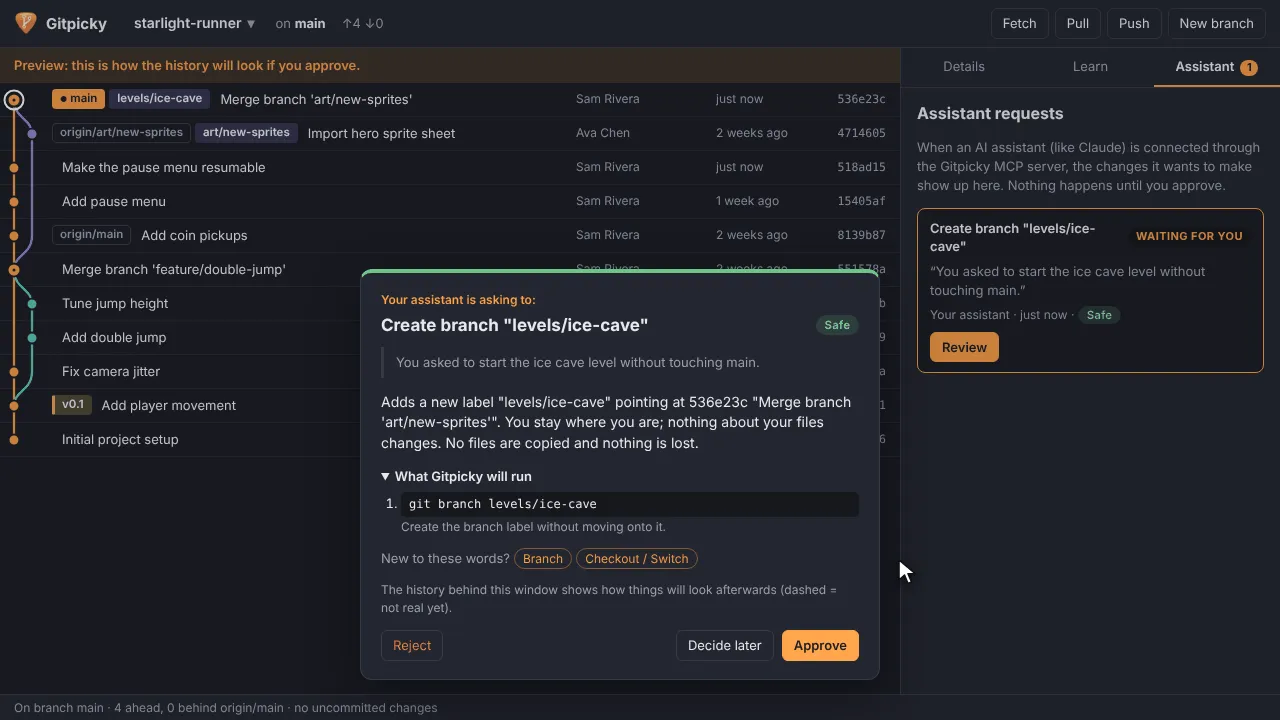
It also works with AI assistants. You can chat with Ollama, Claude Code, Codex or GitHub Copilot inside the app, or connect those tools to Gitpicky’s MCP server. Either way they can read the repo and explain things, but they only propose changes, and nothing touches the repo without your click.
Version 0.1.0 ships installers for Windows, macOS and Linux.
Videos
Overview

Commit

Merge

Fix authors

AI assistant

Learn

Media
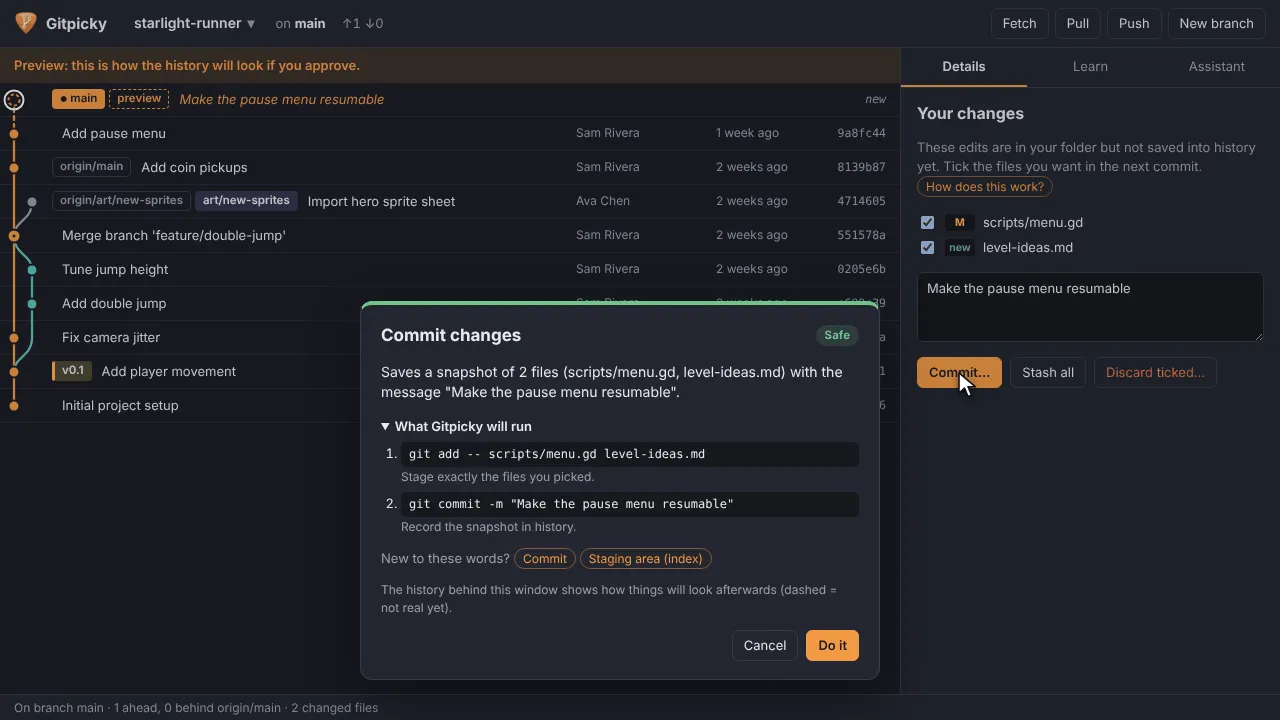
The history as a picture, with a plan for every action 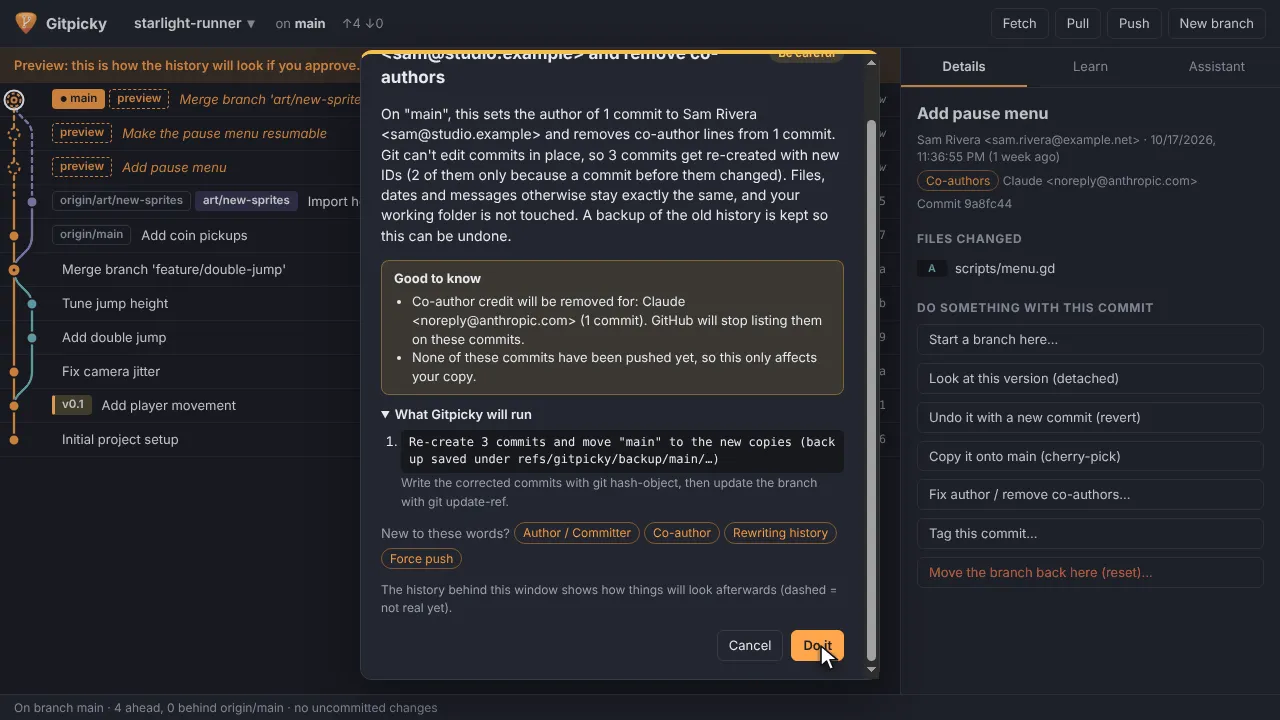
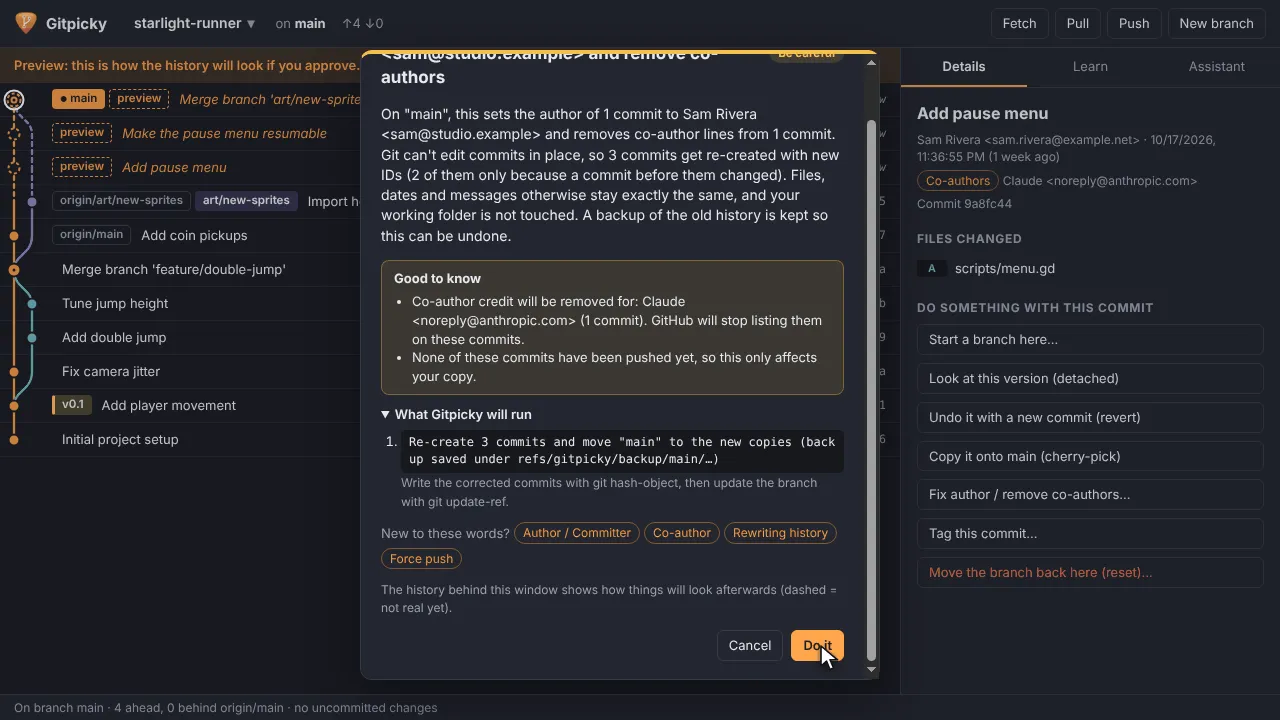
Fixing commit authors and co-authors 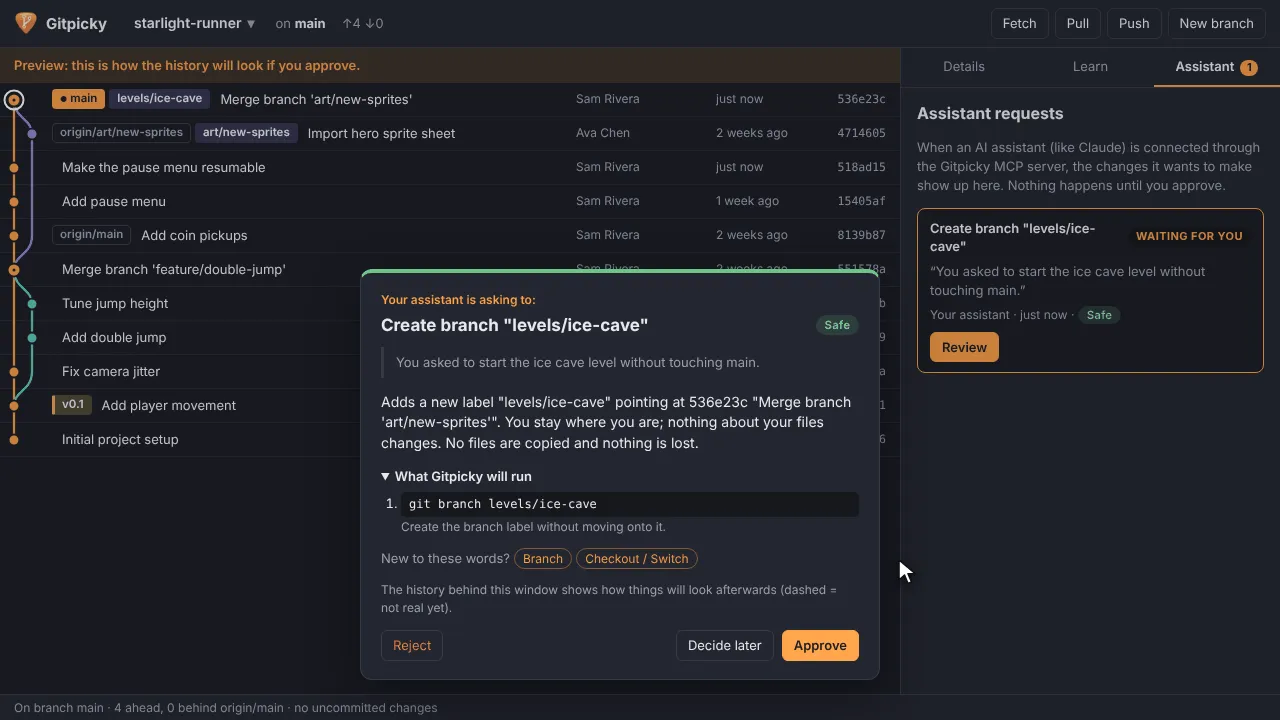
Changes proposed by an AI assistant, waiting for approval