Back to Software Engineering projects

DeskPicker
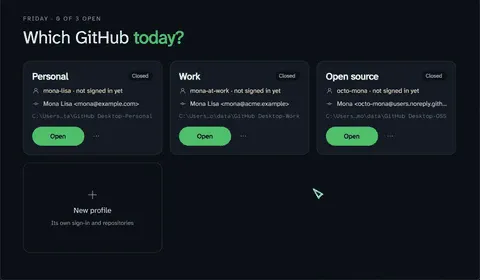
Several GitHub Desktop accounts, open side by side
- Role
- Developer
- Tools
- C#, .NET 10, Avalonia, Electron
- Company
- Personal project
- Year
- 2026
GitHub Desktop only keeps one GitHub.com account at a time, which is a problem when you have a work account and a personal one. DeskPicker gives each profile its own data folder (Electron’s --user-data-dir), so each copy of Desktop has its own sign in and repository list, running side by side.
Profiles. Each profile is a Desktop data folder, and “Main” is Desktop’s normal one. Removing a profile never deletes its folder.
Sign in hand off. The browser always sends Desktop’s sign in link to the main copy. While a profile is signing in, DeskPicker spots the short lived launcher process and passes the same link on to the right copy. You always sign in through Desktop’s own browser flow, and DeskPicker never sees a password or token.
Commit identity per profile. Each profile can have its own commit name and email. DeskPicker writes a small git config that includes your real one and then sets the profile’s identity, and starts that copy pointed at it.
Signed in badge and shortcuts. On Windows it checks Credential Manager, reading entry names only, to show which profiles are signed in, and a desktop shortcut opens a profile directly with its commit identity.
Videos


Media
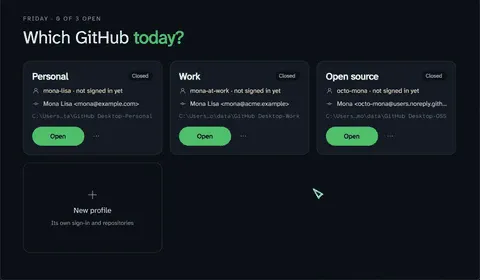
Which GitHub today? Every profile, closed or running, in one window